Griffin-Unlocker Tool 2025.12.15 Latest Update
Griffin-Unlocker Tool

Introduction
Griffin-Unlocker Tool 2025.12.15 is a convenient means to solve Android-related problems, designed for mobile repair gurus and technology enthusiasts.
Description
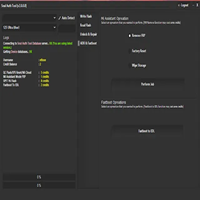
The spick-and-span interface along with the real-time (log) difficulties scanning make the curious job to be done for the technician. Flashing with the tool helps avoid issues like failure to boot, no service, and unknown baseband.
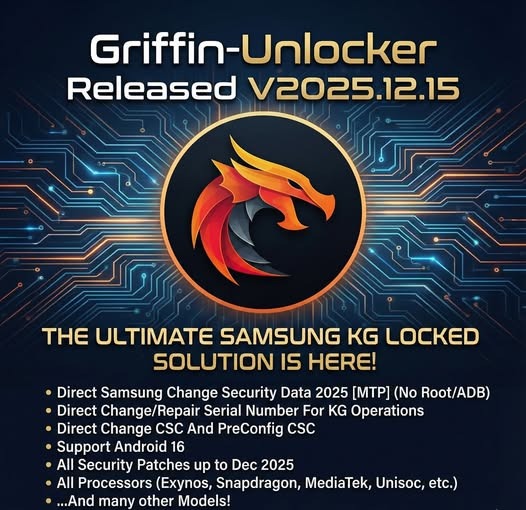
Key Features of Griffin-Unlocker Tool 2025.12.15
✔ FRP Bypass on Latest Android Versions
Bypass the Google account lock on the latest Android builds running on different devices.
✔ Multi-Chipset Support
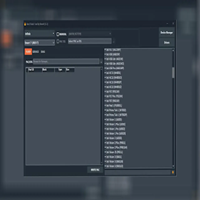
Works on smartphones and reads data from Qualcomm, MTK, Exynos, SPD, and Device Software for smart devices.
✔ Firmware Flashing
Flash stock firmware to fix boot loops, unresponsiveness, and unexplainable software behavior.
✔ ADB & Fastboot Utilities
Functional reboot options, power commands, and app installation on the fly in this tool, coming from the terminal.
✔ EDL & Preloader Operations
MediaTek and Qualcomm devices, it supports the flashing at an advanced level.
✔ Backup & Restore
The system shall make the user ready to have their critical partitions backed up safely (EFS, NVRAM) and more.
✔ Auto Device Detection
Automatically recognizes connected devices and the same compatible functions used in the previous command.
Installing the Griffin Unlocker tool 2025.12.15
Step 1 – Download the Tool
Step 2 – Extract the ZIP File
Right-click the ZIP archive, and then press Extract Here if you use WinRAR or 7-Zip.
Step 3 – Install Required Drivers
On your system, there are a series of drivers that need to be installed:
Qualcomm HS-USB deluder driver
MTK USB VCOM/preloader driver
Samsung USB Driver
ADB and Fastboot drivers
Step 4 – Run the Tool
After launching the device, find the tool’s unlocked folder to run the Griffin-Unlocker.exe file.
Step 5 – Login/Activate
To start off the process, use your credentials to log in to the tool or activate it (providing you with the necessary features if required).
Step 6—Connect Your Device
Choose which one-way connection will be suitable for your device (e.g., ADB, Fastboot, EDL, and Preloader).
Step 7 – Select Operation
Click the FRP Bypass, Unlock, Flash, or Repair command from the dropdown menu block.
Step 8 – Start Process
Download Link: HERE
Your File Password: 123
File Version & Size: | 140.98 MB |
File type: compressed / Zip & RAR (Use 7zip or WINRAR to unzip File)
Support OS: All Windows (32-64 bit)
Virus Status: 100% Safe Scanned By Avast Antivirus