SamFw FRP Tool V5.2 Latest Version Free Download
SamFw FRP Tool

Introduction
The software, known to have a high rate of success, a short time of operation completion, and an easy-to-navigate user interface, is the go-to program for technicians and cellphone fix specialists. This now makes the FRP software an essential element for any phone technician being contacted to handle issues that arise after factories reset or unlock Google accounts.
Description
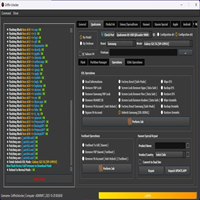
SamFw FRP Tool V5.2 is a Windows-based application, primarily aimed at Samsung brand smartphones. The program utilizes ADB mode, which is a secure method of getting past account verification screens on Google.
Upon connection of the device to the system, only authorized options are shown instantly.
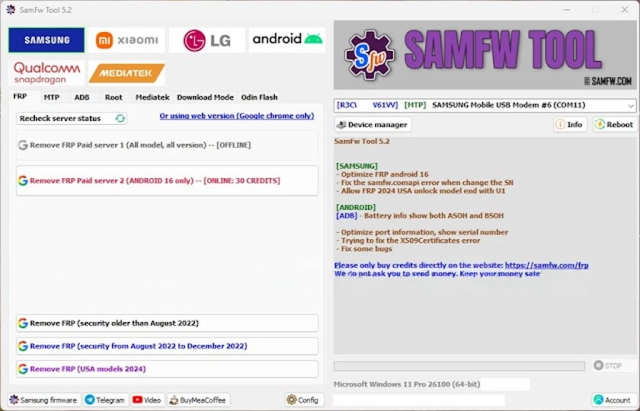
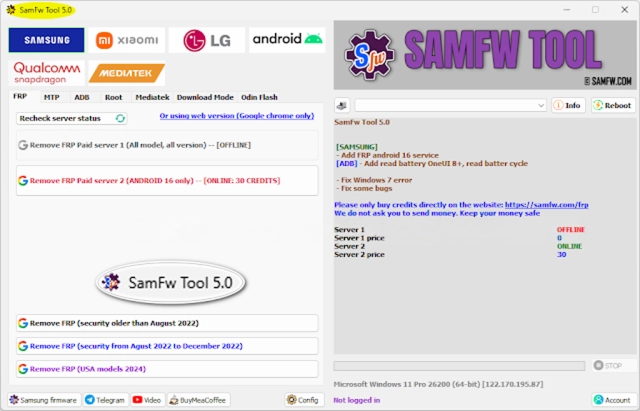
Key Features of SamFw FRP Tool V5.2
Samsung FRP Bypass: Eliminate the Google account lock from the specified supported Samsung devices by utilizing ADB.
Latest Security Patch Support: Re-engineered for the latest Samsung firmware alongside Android revisions.
ADB-Based Operations: Consistent and accelerated ADB converse contributing to non-fraudulent FRP removal.
One-Click FRP Removal: a convenient and straightforward task offering a flawless end result.
Additional Android Utilities: Incorporates reboot options and system basics to provide more flexibility.
Auto Device Detection: Instantly recognize Samsung devices synced with the system, not involving any manual identification.
Real-Time Logs: Push up live comment log for easy log tracking and troubleshooting drives.
Lightweight & Fast Tool: The application is very lightweight and does not require heavy resources to run on simple Windows-powered systems.
How to Install SamFw FRP Tool V5.2
Step 1—Download the Tool
Step 2—Extract the File
Decompress the downloaded ZIP document via WinRAR or 7-Zip.
Step 3—Install Required Drivers
Samsung USB Driver
ADB & Fastboot Drivers
Step 4—Enable USB Debugging
Set up USB Debugging on Developer Options from the device (in case it is visible).
Step 5—Run the Tool
Launch SamFwTool.exe by opening the extracted folder with sort privileges.
Step 6—Connect the Device
Plug in the mobile device via USB cord, and the program will recognize it immediately.
Step 7—Start FRP Removal
Step 8—Reboot the Device
Download Link: HERE
Your File Password: 123
File Version & Size: | 107.57MB || V5.2 |
File type: compressed / Zip & RAR (Use 7zip or WINRAR to unzip File)
Support OS: All Windows (32-64 bit)
Virus Status: 100% Safe Scanned By Avast Antivirus