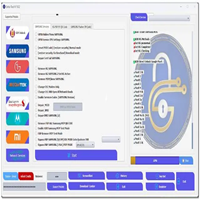
Introduction
SamsTool Online v1.29 is a cloud-based mobile servicing tool targeted at Samsung handsets and several other Android devices developed by the same company. This iteration hosts numerous breakthroughs—from an unexceptionable online process to a higher percentage of success to flawless reinvention with the release of every Android update.
Description
SamsTool Online v1.29 offers you a professional Windows-based system, which uses certain secure online servers for its features. Especially in the case of the smartphones that run on Android 12, 13, and 14.
Samsung is the main brand, but there is also some support for a few Android brands. This support, however, is for tools operating on ADB and fastboot.
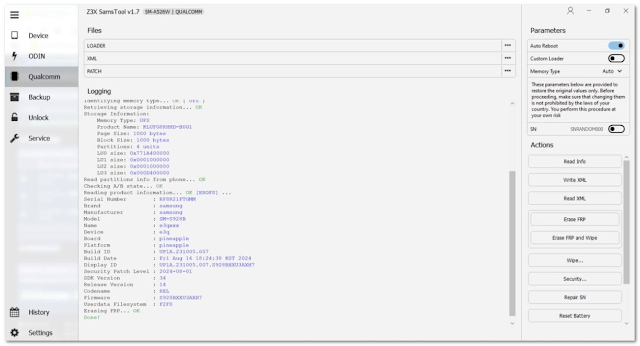
Key Features of SamsTool Online v1.29
✔ Online FRP Removal
Solves the Gmail account lock problem due to the use of the most reliable cloud servers.
✔ KG Lock Handling
Manages all peculiarities of the devices that have the KG Locked, Prenormal, and Checking transactions.
✔ CSC & Region Functions
Specialize in changing the CSC number and tackle region-related incidents together with resolving network issues.
✔ Auto Device Detection
Automatically recognizing your device details such as model, chipset, and entity version.
✔ Supports the Latest Android Versions
Compatible with security patches of Android 11, 12, 13, and the upcoming Android 14.
✔ ADB & Fastboot Tools
Has the most basic functional ability of commands for ADB, including rebooting and rebooting via fastboot.
How to Install SamsTool Online v1.29
Step 1—Download the Tool
Step 2–Extract the ZIP File
Go to the downloaded ZIP file, right-click the mouse button, and then select the option “Extract Here” from the list using WinRAR or 7-Zip.
Step 3—Install Required Drivers
Install the correct USB drivers:
Samsung USB Driver
Android Drivers, ADB & Fastboot
Step 4—Run the Installer
Launching the setup procedure is done by starting the SamsToolOnline_Setup.exe in the previously extracted folder.
Step 5—Launch the Tool
The SamsTool Online will be launched from the desktop shortcut.
Step 6—Login or Register
Sign in to the tool with your SamsTool Online login credentials, or if new, create a new account.
Step 7—Select the Operation
For the required operation, your choice might be to click on either FRP Removal, Factory Reset, KG Lock Fix, or Flashing.
Step 8—Start the Process
Download Link: HERE
Your File Password: 123
File Version & Size: | 118.00 MB || V1.29 |
File type: compressed / Zip & RAR (Use 7zip or WINRAR to unzip File)
Support OS: All Windows (32-64 bit)
Virus Status: 100% Safe Scanned By Avast Antivirus