Introduction
The tool is well-known in the market for flashing, unlocking, software repair, and debricking Qualcomm chipset-based smartphones. With this fresh update, version 12.8 is increased in terms of reliability, compatibility, speed, and stability. The scope is wide, ranging from problems like FRP lock and dead boot issues to network problems and firmware flashing. All these issues can be fixed with just a few clicks, as properly explained in our QcFire tutorial.
The latest model supports Qualcomm’s modern mechanisms and LTE models. Whatever the issue is, your Qualcomm-based device can agreeably and efficiently be restored by UMT QcFire V12.8, the experienced tool.
Description
The software tool permits technical specialists to unlock FRP, eliminate pattern and password locks, flash default software, and diagnose the phone’s problems by means of software solutions.
Also, it provides the newest versions of loaders and firehose files, which enable the target device to communicate effectively with new model releases.
It also gives you non-shaky tearing for IMEI repair if it is legal to do so.
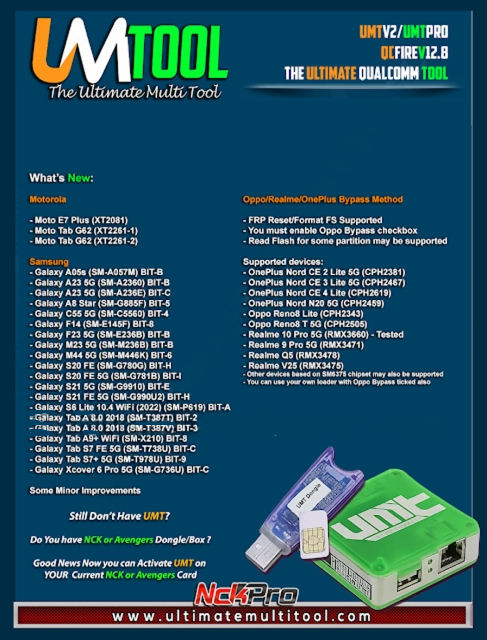
UMT QcFire, with version 12.8 key configurations, is as follows:
Qualcomm Firmware Flashing
It is a professional way to revive and update the OS of the Qualcomm gadget, which may have software difficulties, boot loops, or corruption issues caused by a system crash or conflict.
FRP Unlock/Removal
A one-click tool that can easily bypass files, your booth mobiles, via this: remove the security FRP barriers, without the hardware and the processes.
Factory Reset & Screen Lock Removal
Remove device locks such as pattern, PIN, password, or face unlock locks from supported devices without a loss of data.
EDL Mode Support
Complete EDL functionality (Emergency Download Mode) for locked bootloaders as well on Qualcomm-based handsets; sometimes this is also known as “9008 ports.”
IMEI Repair & Backup (Legal Use Only)
Rectification of shy IMEIs, wherever the permissive law of the country allows, “backup & restore.”
Partition Backup & Restore
The tool holds the option of reading individual partition data and also the full backup and restore options.
Fast boot & ADB Operations
It carries out Fastboot virtualization, Mobi-Freshdesk, and ADB-based operations that many users find quite easy and efficient.
Dead Boot Repair
Enliven devices that are stuck in a dead boot position with the help of compatible firewall loaders.
How to Install UMT QcFire Tool V12.8
Go through the guidelines outlined below in order to proceed with the installation efficiently:
Step 1: Download the Setup File
Download the official UMT QcFire Tool V12.8.
Step 2: Extract the ZIP File
Besides the ZIP file, you still need to right-click it and unzip it with WinRAR or 7-Zip.
Step 3: Run the Installer
Similarly, open the expanded folder and run the setup.exe file in the administrator mode.
Step 4: Follow On-Screen Instructions
The explorer wizard will assist you in following the developing steps that the screen is showing.
Step 5: Connect Your UMT Dongle
To have the tool work, make sure to install a UMT dongle or UMT Pro activation card to do the activation w
ork.
Step 6: Start Using the Tool
Now, you can take a tentative attempt to fashion it unsafely. Following this, you can connect any Qualcomm device and load the flashing, unlocking, and repairing work.
Download Link: HERE
Your File Password: 123
File Version & Size: | 198.87 MB | | V12.8 |
File type: compressed / Zip & RAR (Use 7zip or WINRAR to unzip File)
Support OS: All Windows (32-64 bit)
Virus Status: 100% Safe Scanned By Avast Antivirus