Phoenix Service Tool V8.1.4 Latest Update Free Download
Phoenix Service Tool

Introduction
Phoenix Service Tool V8.1.4 is a robust and professional Android software solution based on GSM chipsets, serving GSM technicians, cell phone repair shops, and power users of Android devices. The Phoenix Service tool can boast a vast range of supported devices.
Description
Phoenix Service Tool V8.1.4, developed for Windows, is an all-inclusive utility that unlocks Android phones and mends specific issues arising with chipsets. The Phoenix Service tool is compatible with Qualcomm, MediaTek (MTK), Exynos, Spreadtrum, and UniSoc CPU models, which allows the tool to be used to repair devices of Samsung, Xiaomi, Oppo, Vivo, Realme, Motorola, Nokia, Huawei, Tecno, Infinix, and more brands.
FRP bypass, user lock removal, firmware flashing, IMEI repair (available models only), and eliminating software conflicts like system crashes and stuck boot processes are the common problems handled by Phoenix Service Tool.
It is competition-ready with high frame rates and low resource consumption, making it a good choice to work with.
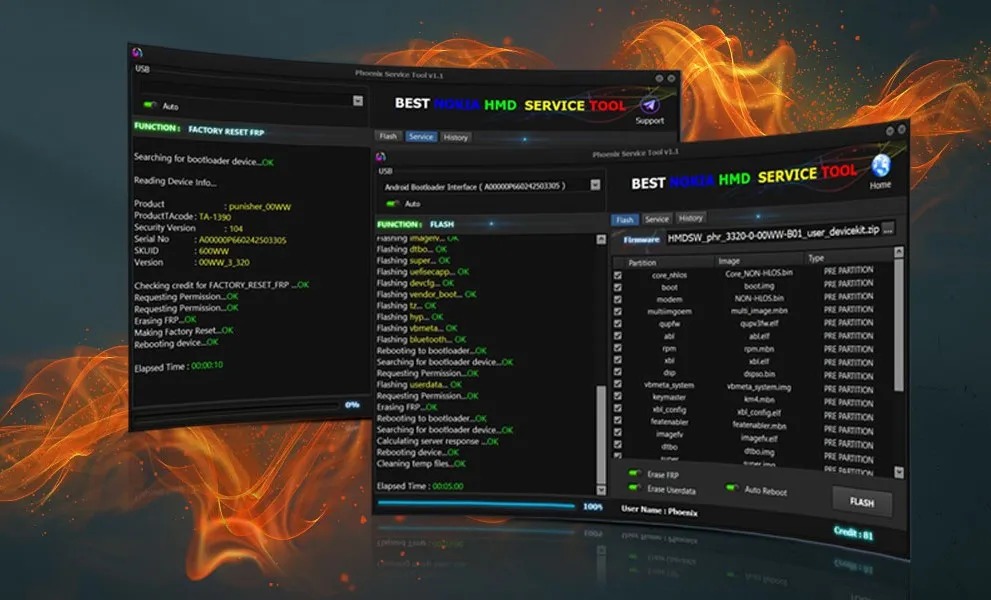
Key Features of Phoenix Service Tool V8.1.4
FRP Bypass Support
Erasure of the Google account locks in the said devices for good!
Screen Lock Removal
PIN, pattern, and password locks for models that are compatible.
Multi-Chipset Compatibility
Works on Qualcomm, MTK, Exynos, SPD, and UniSoc branded devices.
Firmware Flashing
Downloading and flashing stock ROMs to fix boot loops, crashes, and ruined systems is now as easy as 1-2-3.
ADB & Fastboot Utilities
Included a restart feature, terminal-like operations, and fresh control algorithms.
EDL & Preloader Mode Support
It comes with custom flashing tools and a repair toolkit for the Qualcomm and MTK devices.
Soft Brick & Dead Boot Repair
Recover devices stuck on a logo or not booting properly.
Auto Device Detection
Directs itself and automatically provides the accurate model to work with .
Professional & Stable Interface
The good appearance and performance are designed for an intensive fault diagnosis environment workload.
How to Install Phoenix Service Tool V8.1.4
Step 1 – Download the Tool
Step 2 – Extract the Archive
Open and extract the .zip or .rar file with WinRAR or any other tool like 7-Zip.
Step 3 – Install Required Drivers
Install a selection of USB drivers:
Qualcomm HS-USB deluder
MTK USB VCOM / Preloader
Samsung USB Driver
ADB & Fastboot Drivers
Step 4 – Run the Tool
Double-click the downloaded phoenix-service-tool.exe file, and the tool will start.
Step 5 – Login / Activation
Get yourself logged on or activate the tool when needed and let the player rule the game.
Step 6 – Connect the Device
Obtain the smartphone with the connections ADB, Fastboot, EDL, or Preloader mode.
Step 7 – Select Operation
Click on one option of your choice to proceed with the selected operation.
Step 8 – Launch the Process
On hitting the “Start” button, you will have to wait a while until the process is finished and can watch the log displayed, which has information about the process. It restarts unless you do it by yourself.
Download Link: HERE
Your File Password: 123
File Version & Size: | 79.82MB || V8.1.4 |
File type: compressed / Zip & RAR (Use 7zip or WINRAR to unzip File)
Support OS: All Windows (32-64 bit)
Virus Status: 100% Safe Scanned By Avast Antivirus