Introduction
The IT Admin GSM/Firmware Remote Kill (GSMRK) Tool is a smart technology designed to serve numerous purposes and fix several issues within a phone. It is mainly used by GSM technicians and software engineers, as well as cellphone repair stores looking for a way to ensure effective results as fast as possible. The software, produced by a team of developers, has been well received due to its immense Android device support, clear interface, and its ability to carry out complex fix functions such as flashing, unlocking, diagnostics, FRP removal, and system optimization satisfactorily. It hence enhances the performance of the Android phone. The gadget is particularly useful for specialist executors who need technical issue resolution in a lightweight, fast, and more advanced work tool to assist their operations.
Description
The IT ADMIN GSMRK Tool can be described as an overall Android service tool specifically made for professionals in order to simplify their work in mobile repairing. It comes with multiple functions supporting types of chipsets from Qualcomm, MediaTek (MTK), Spreadtrum, and many more. Specifically, via the ADB, Fastboot, EDL, Meta, and Download modes, the utility can be used with thousands of Android devices covering all the major producers.
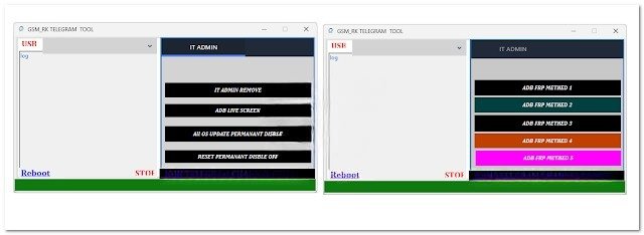
Its main purpose is to give techs the upper hand over a series of advanced work, including the FRP bypass, screen lock removal, flashing, boot repair, factory reset, and device optimization. IT ADMIN GSMRK is a user-friendly tool with a clean interface, so even beginners can use it effectively, and advanced options are provided for those who want to use the program comprehensively.
This application will also come with a set of partition reading capabilities, firmware handling tools, and some mobile brand-specific functions for the Samsung, Xiaomi, Oppo, Vivo, Infinix, and Motorola brands of devices. As one of its highlights, the software can provide for quick retrieval of connected devices with updated functionality; therefore, it successfully conducts all operations with no data loss for the supported models.
What best distinguishes the IT ADMIN GSM/Firmware Remote Kill Tool from all the other service tools out there is the frequency of its updates. Each update consists of new phone models, patched methods, and security bypasses to cater to the current security intricacies and make the tool always available. This opens the possibility for other developers to use the software through its DLL or COM modules.
In general, the IT Admin GSM/Firmware Remote Kill Tool is a perfect software option for those people working in the mobile service investigation area and needing a tool that will help to speed up and facilitate everyday work.
Key Features of IT ADMIN GSMRK Tool
1. FRP Removal
Supported FRP bypass for Samsung, Xiaomi, Vivo, Oppo, Tecno, and Infinix, as well as all brands, thanks to updated techniques.
2. Screen Lock Removal
Easier pattern, PIN, password, or face lock elimination with no data damage for supported devices.
3. Flashing & Firmware Operations
(Flashing) Stock Firmware
(Write partitions) Flash to original stock
Boot repair—this involves fixing the booting problem in the device
(Flash boot/recovery/system/vendor) Flash the custom imagery
4. ADB & FastbootOperations
Do various functions for the device, like reboot, install the APKs file, device trace, ADB enable options, and more.
5. Qualcomm & MTK Chipset Support
Check more details of Qualcomm EDL and corruption of MTK Brom/Meta nature types.
6. Xiaomi Special Features
Bypass—an entry that allows the tool to conduct communication directly with the phone
Unlock Helper—the process involved in unlocking the phone’s bootloader
7. Samsung SpecialTools
MTP FRP—remove Google account
Factory reset—erase data in a file folder without removing the system itself
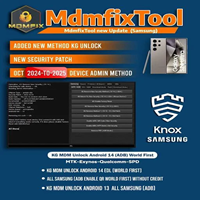
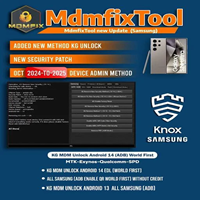
Handling KG/MDM lock
8. Unisoc Support
Get all the know-how about Unisoc-powered basic operations as well as FRP and reset for certain models of phones.
9. Partition & Image Tools
Format, read back, write, and back up partitions of device memory.
10. Simple & Lightweight Interface
Rapid installation, minimal RAM usage, and uncluttered item icons.
How to Install the IT ADMIN GSMRK Tool
Step 1: Extract the ZIP File
In case there is such a zipped source archive, you will need to use another decompressing program, for example, WinRAR or 7-Zip.
Step 2: Run the Installer
Right-click the application called GSMRK_Tool_Setup.exe; probably you may locate it on the flash drive, and then choose “Run as administrator” from the options.
Step 3: Install Required Drivers
In order to do so, go to the “Drivers” directory to use these:
ADB Drivers
Fast boot Drivers
MTK Drivers
Qualcomm Drivers
Samsung USB Drivers
These, hence, are very crucial steps in making sure there is an effective handshake between the device and the host machine.
Step 4: Launch the Tool
You just need to double-click on the icon or navigate to the installation folder and launch the software.
Step 5: Connect Your Device
Plug your phone into the phone in the needed manner. Choose from the five options below:
ADB Mode
Fast boot Mode
EDL Mode
MTK Brom/Meta Mode
Step 6: Perform the Desired Operation
Select an operation upon which you want to carry out a given function—in this case, FRP bypass, firmware flashing, screen lock removal, or partition release—and press Start.
Download Link: HERE
Your File Password: 123
File Version & Size: | 11.44 MB |
File type: compressed / Zip & RAR (Use 7zip or WINRAR to unzip File)
Support OS: All Windows (32-64 bit)
Virus Status: 100% Safe Scanned By Avast Antivirus