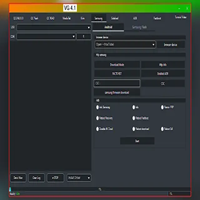
Ultimate Android Tool V1.5 Update Free Download
Ultimate Android Tool

Introduction
This approach is to provide them with a convenient and speedy way of smartphone repair. Ultimate Android Tool V1.5 is the solution to this problem by bringing a more stable, “feature-rich,” and modern interface, which supports operating on many brands and chipsets like MediaTek MTK, Qualcomm, SPRD, and Fastboot devices.
The software has been made better by investing a large amount of resources in getting top-notch algorithms that provide real-time solutions.
Description
Ultimate Android Tool V1.5 is a miraculous DIY shaping platform of Android-equipped cellphone systems. Its aim is to uncomplicated such a strong ability by facilitating the designated job in a single-click option.
Its reduced hardware footprint allows it to run at full speed without demanding high capacity.
Through version 1.5, Android Tool can be the first choice for technicians, as the application covers the latest Android versions used on Samsung, Xiaomi, Vivo, Oppo, Realme, Tecno, Infinix, Lenovo, Motorola, etc.
Key Features of Ultimate Android Tool V1.5
1. Flashing Support for Multiple Chipsets
Available to MTK, Qualcomm (Snapdragon), SPD, and Fastboot devices.
Full firmware flashing, partial flashing, and OTA updates with the help of effects files with this tool.
Flashing engines are improved to offer stable results and a faster process.
2. FRP (Factory Reset Protection) Removal
A single-click FRP bypass for big brands like Samsung, Vivo, Oppo, Xiaomi, Realme, Tecno, etc.
Smartly used ADB bypass and USB debugging to bypass the FRP lock for you.
3. Screen Lock / Pattern / PIN Removal
Pattern locks, PINs, passwords, and face locks removed.
4. Dead Boot Repair & Ulbrick Function
Use only the dedicated EDL (9008) and MTK Brom/SPD Download mode to rectify the sometimes permanently faulty devices.
The ultimate solution for hard brick and firmware corruption diagnostics and issues, which are progressive.
5. IMEI Repair & Network Fix (Legal Use Only)
Includes features of NVRAM backup and restoration as well.
Preferably top-acting amongst MTK and Qualcomm varieties.
6. Backup & Restore Options
No loss of data will be encountered, safeguarding important data like NV, modem, system, user data, and boot.
7. ADB & Fastboot Operations
Runs in recovery or bootloader mode.
Write IMG files to boot, recovery, vbmeta, system, etc.
8. Wide Device Compatibility
Device accumulation from different Android manufacturers is supported in the vicinity of thousands.
Auto-detected chipset and processor with the device model.
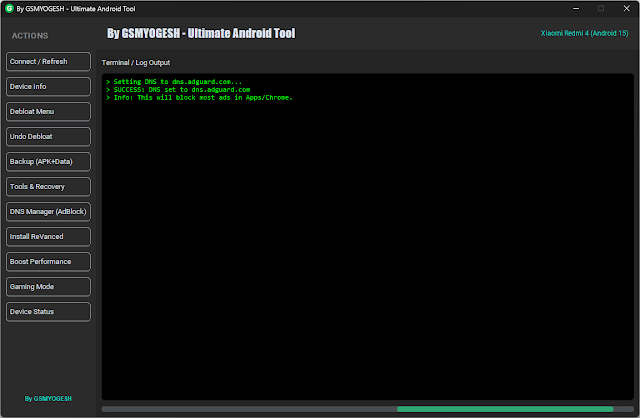
9. Clean & User-Friendly UI
The options menu appears immediately after you click the “Menu” option.
The program is the smallest among similar programs, which ensures fast operation of the system.
How to Install Ultimate Android Tool V1.5
Step 1: Download Ultimate Android Tool V1.5
Step 2: Install Required USB Drivers
Areas of critical improvement are observed as you download and install the right drivers:
MTK USB drivers
Quiddler drivers from Qualcomm
Spreadtrum USB drivers
ADB & Fastboot drivers for accessing on-boot mode
Step 3: Disable Antivirus Temporarily
If partitions of the device are changing, then there’s a likely chance your antivirus software might block it as a a threat.
Temporarily deactivate the antivirus or Windows Defender to prevent any spurious deletion operations, because the repairs are in the details of the device structure.
Step 4: Run Setup File
Extract the disk and double-click the .exe file, enter the password if the file is a password-protected archive, and follow the install procedure.
Follow the simple on-paper instructions and select the directory where the installation exists.
Step 5: Launch the Tool
You can do that by clicking on the icon present on the desktop.
MTK–Brom Mode
Qualcomm–EDL Mode
Fast boot—Fast boot
SPD–Download Mode
Download Link: HERE
Your File Password: 123
File Version & Size: | 26.05 MB || V1.5 |
File type: compressed / Zip & RAR (Use 7zip or WINRAR to unzip File)
Support OS: All Windows (32-64 bit)
Virus Status: 100% Safe Scanned By Avast Antivirus