GSM All ToolRepair ToolUnlocking Tools
TMT Xiaomi RSA Pinout Finder Tool V1.0 Latest Version
TMT Xiaomi RSA Pinout Finder Tool

TMT Xiaomi RSA Pinout Finder Tool V1.0
The TMT Xiaomi RSA Pinout Finder Tool V1.0 is an innovative software designed to help mobile technicians easily locate the RSA pinout for Xiaomi devices. This tool simplifies the repair process by providing accurate pinout details saving time and effort. Its user-friendly interface ensures that even beginners can utilize it efficiently. Ideal for tasks such as unlocking, flashing and repairing Xiaomi phones it supports a wide range of models. With its precision and convenience this tool is a must-have for professionals in the GSM repair industry.

Key Features of TMT Xiaomi RSA Pinout Finder Tool V1.0
- Accurate RSA Pinout Detection: Quickly identifies the RSA pinout for Xiaomi devices saving time in repairs.
- Wide Device Compatibility: Supports a broad range of Xiaomi models for versatile usage.
- User-Friendly Interface: Simple and intuitive design suitable for both beginners and professionals.
- Time-Saving Tool: Streamlines tasks like unlocking, flashing and repairing devices.
- Lightweight Software: Operates smoothly without requiring high system resources.
- Regular Updates: Ensures compatibility with the latest Xiaomi models and firmware.
How To Use of TMT Xiaomi RSA Pinout Finder Tool V1.0
- Download and Install: Download the TMT Xiaomi RSA Pinout Finder Tool V1.0 and install it on your PC.
- Connect Device: Power off the Xiaomi device and connect it to the PC using a USB cable.
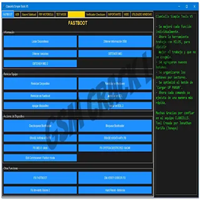
- Open the Tool: Launch the software and ensure the device is detected by the tool.
- Select Model: Choose the specific Xiaomi model from the tool’s supported list.
- Start Pinout Search: Click the “Find Pinout” button to initiate the detection process.
- Follow Results: Use the displayed RSA pinout details for further repair or flashing tasks.
Conclusion:
The TMT Xiaomi RSA Pinout Finder Tool V1.0 is a powerful solution for technicians working with Xiaomi devices. It simplifies the repair process by providing accurate RSA pinout details saving time and effort. With its user-friendly interface broad device compatibility and efficient performance this tool is an essential addition to any GSM professional’s toolkit. Whether you’re unlocking, flashing or repairing Xiaomi phones this tool ensures precision and reliability in your work.