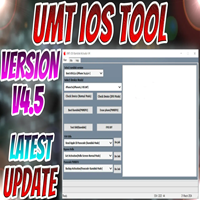
Universal Android Service Tool v1.0 Free Download
Universal Android Service Tool
Introduction
Universal Android Service Tool v1.0 is a multi-brand Android phone repairing software for technicians, repair shops, and professionals working on refurbished phones or new phones on the market. Through strong algorithms and smart device detection, the Universal Android Service Tool is able to support the powerful models of the latest Android 2024-2025 versions and their security patches.
Description
From version 1.0, Universal Android Service Tool is a Windows-based service software specialized in troubleshooting and upgrading Android mobiles enlisted with its own official site.
It stands out with the automatic device detection, integration of drivers, and improved performance dedicated to the newest versions of Android.
In this update, the author utilized updated FRP bypass methods, enhanced flashing scripts, and superior communication techniques to ensure that the application functions smoothly, and this, in comparison, enhances the safety of the device.
Its encoded interface in conjunction with the profundities of the backend makes this tool a go-to for MO-techs who anticipate a combined functionality yet want to avoid complexities. This tool has been designed to provide security for each supported operation in terms of accuracy and no forced failure.

Key Features of Universal Android Service Tool v1.0 1
Works with the most recent security patches from Samsung, Xiaomi, Vivo, Oppo, Tecno, Infinis, etc., which will be installed in the mentioned period from 2024 to 2025.
2. Multi-Chipset Support
The software works efficiently with the devices containing the MTK, Qualcomm, SPD, Exynos, and Kirin configurations.
3. Flashing and Firmware Management
Underpins the whole firmware flashing, stock ROM recovery, scatter-file flashing, and Fastboot ROM update features.
4. Bootloader Unlock/Relock
This procedure is fast and applicable to the bootloader of any device that can use Fastboot.
5. Factory Reset & Formatting Tools
A hard reset, unlocking the screen, and formatting partitions within your device.
6. ADB/Fastboot Operations
It can read device data, reboot OEM, reboot permissions, remove apps, install third-party apps, turn on/fast boot mode, pull/push files, and more.
7. MTP Advanced Features
Applications can be uninstalled, and browser settings can be opened to bypass MTP operations.
8. Network & Baseband Repair (Certain Models)
Corrects network-related defects that would include no signal connected to the towers, invalid baseband, no radio, or related issues (if this is supported on the phone).
9. Samsung Special Tools
Supports FRP ADB, factory erase, replacing EFS, entering into download mode, and others after an activation.
10. Safe & Fast Execution
A list of optic scripts concerning the safe use of the gadget and cutting it out of being bricked.
11. No Activation Required
Complete freeness, and it has no sign-in credentials and includes no login, credits, or monthly subscription level.
12. User-Friendly Interface
The plain menu guide and button guide enable the novice user to perform operations successfully in toolkit use.
How to Install Universal Android Service Tool v1.0
Step 1: Download the Tool
Get the setup file of Universal Android Service Tool v1.0.
Step 2: Unzip the ZIP Folder
Use the WinRAR/7Zip tool to extract files from the saved folder.
Step 3: Update Drivers
Choose from the options below:
Qualcomm USB Drivers
MTK Drivers
SPD Drivers
Samsung USB Drivers
Step 4: Launch the Program
Right-click on UniversalAndroidServiceTool.exe.
Step 5: Plug in the Phone
Use the cable to connect your phone to your computer via a USB port. The phone should be in any of these modes: MTP Mode, ADB Mode, Fastboot Mode, or EDL Mode (Qualcomm).
Step 6: Select a Service
Select from the dropdown list the service to be applied, such as reset or diagnostic operations.
Step 7: Enable Operation
Do not disconnect it during operation. Click Start or Execute on the command list, and then the software will help to carry out the operation.
Step 8: After operation completion, reboot the device and verify.
Download Link: HERE
Your File Password: 123
File Version & Size: |
File type: compressed / Zip & RAR (Use 7zip or WINRAR to unzip File)
Support OS: All Windows (32-64 bit)
Virus Status: 100% Safe Scanned By Avast Antivirus